AI documentation for your medical practice
You lead the conversation.KiPT Voice drafts the note.
KiPT Voice turns your consultation into a concise, structured documentation draft. You review, correct and approve it.
For Windows 11 · 14 days free · No credit card · No automatic subscription
From €49.99 per physician per month including 19% VAT. Twelve-month term, billed monthly.
Developed by J Medical GmbH. Co-developed and tested in everyday practice by Dr. med. Jonida Gjolli, Praxis Jona, Berlin.From conversation
to documentation.
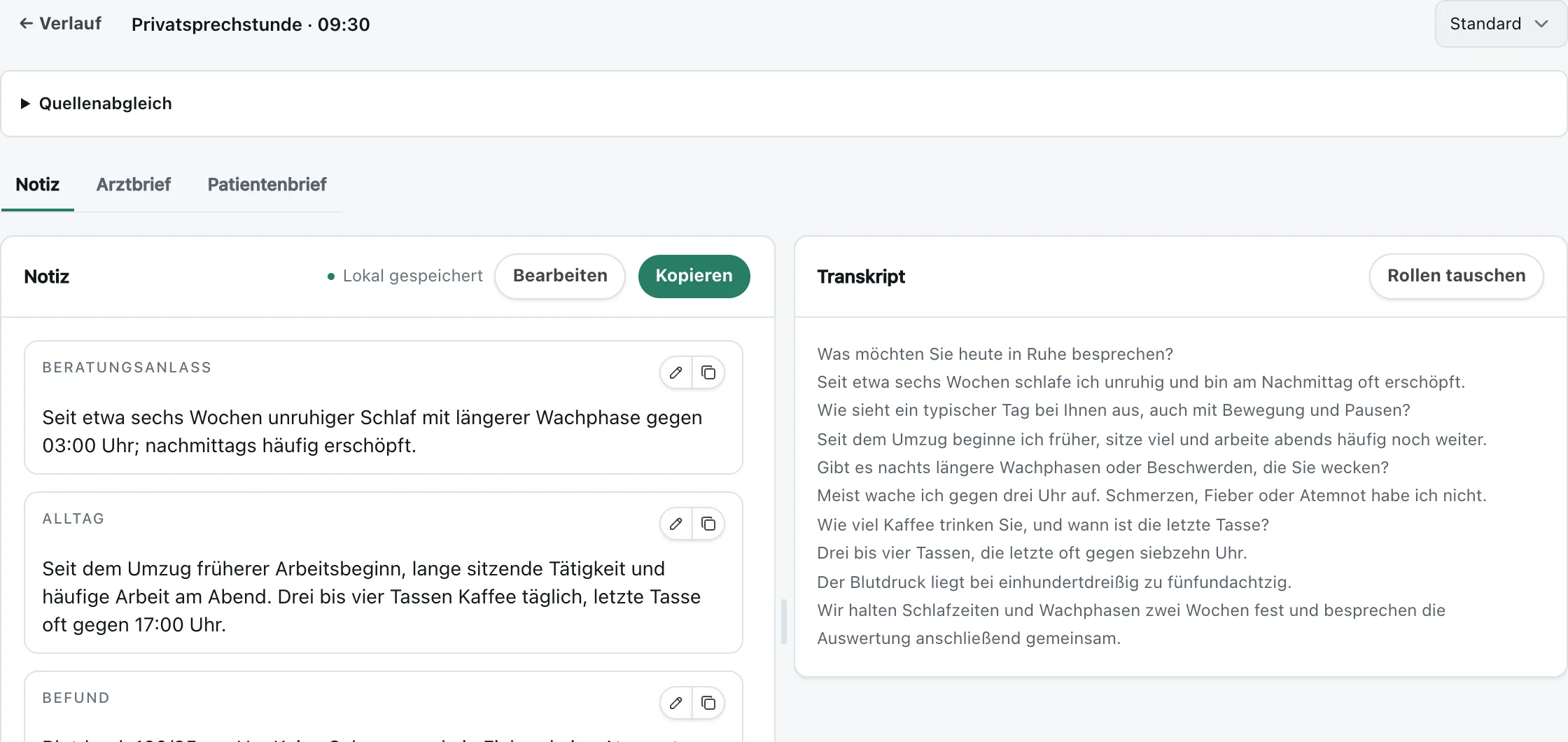
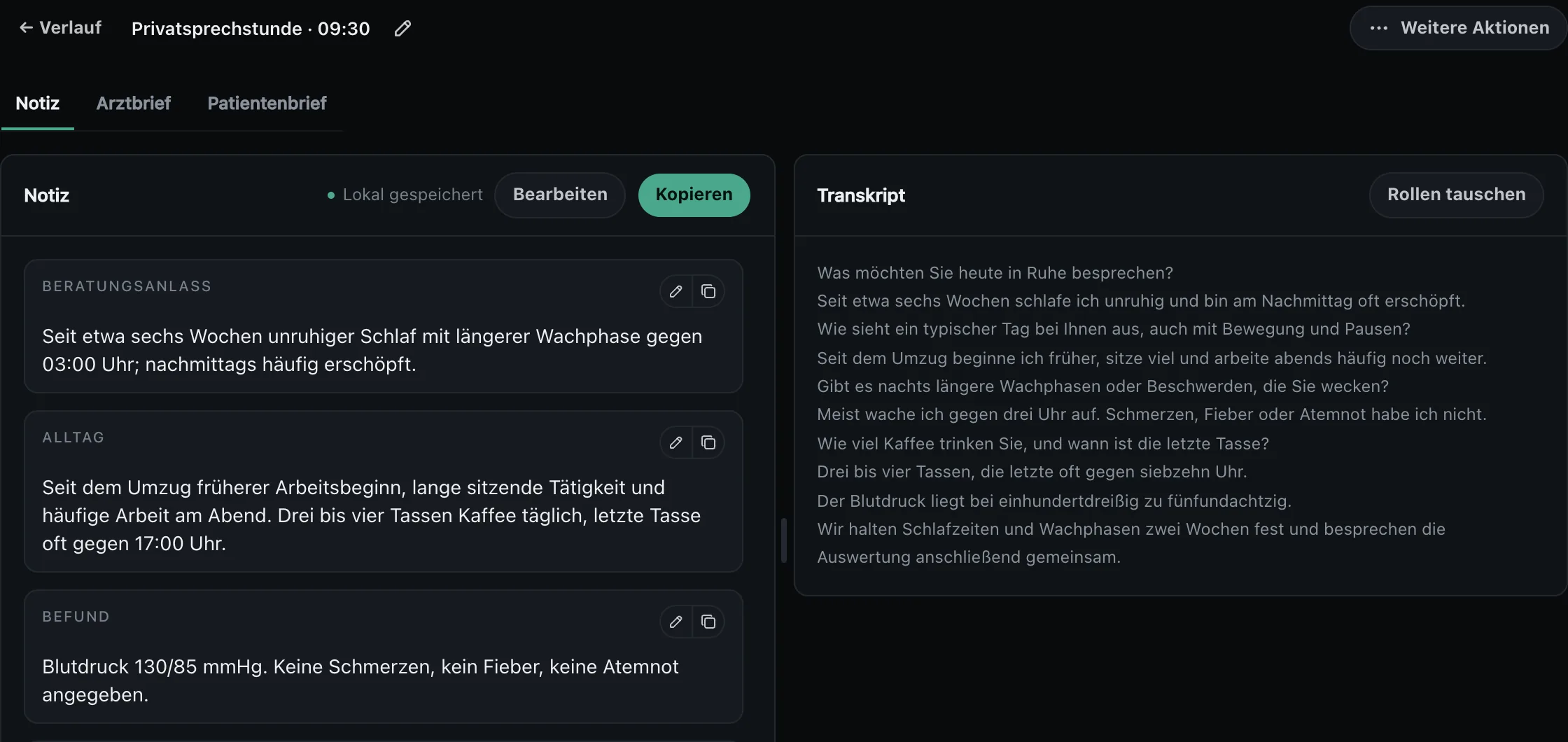
Medical speech recognition captures what was said. KiPT Voice turns it into a structured German draft. You make the final decision.
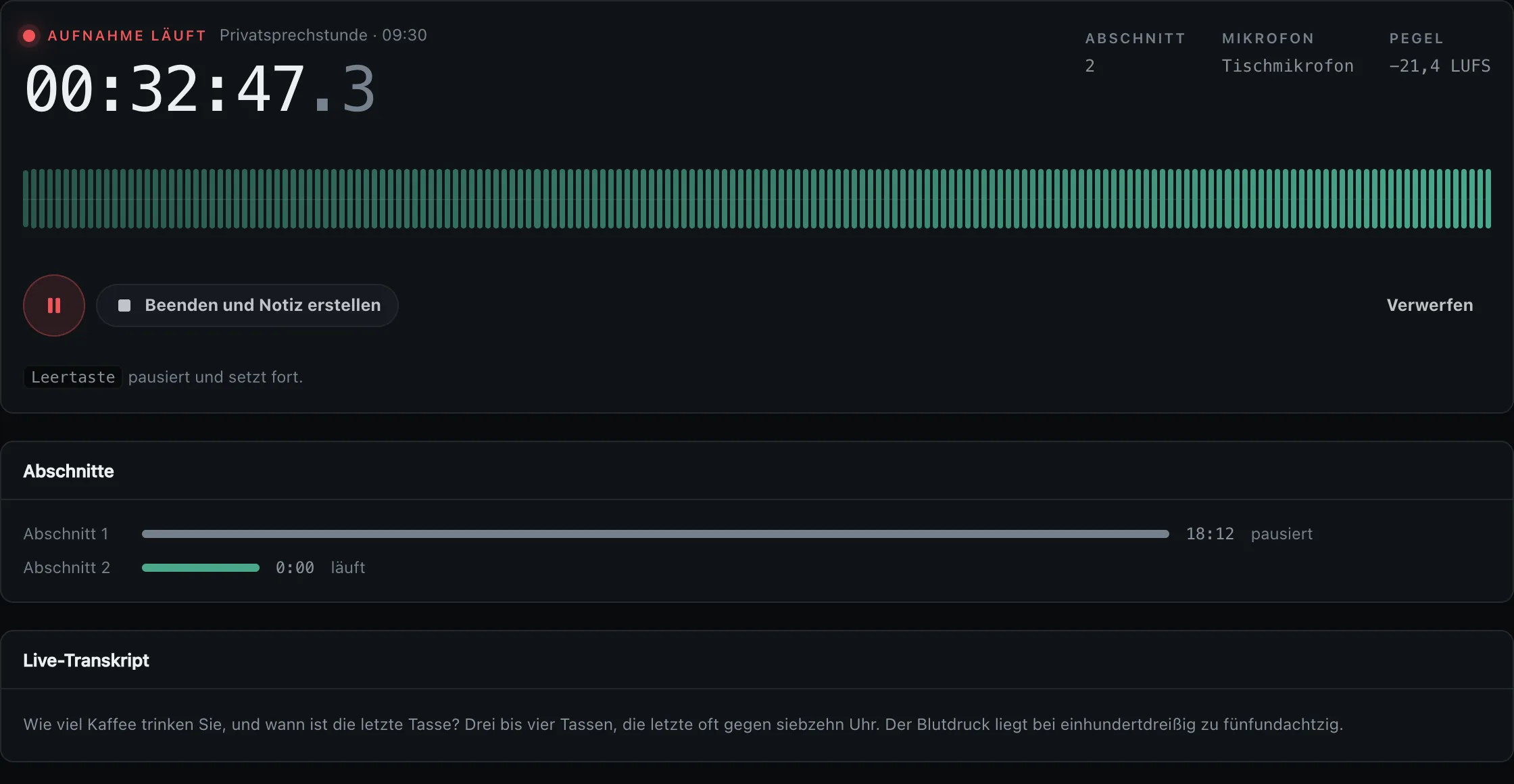
Confirm consent, record the conversation and pause whenever needed. Audio and transcription stay on the computer.

Co-developed by a physician.
Tested in everyday practice.
J Medical GmbH developed KiPT Voice together with Dr. med. Jonida Gjolli and tested it in everyday use at her Berlin practice, Praxis Jona. The aim: capture the important information discussed without unnecessary changes to the practice workflow.
The same conversation.
More context in the record.
Choose a section to see its source.
PhysicianYour type 2 diabetes mellitus is known. Your current HbA1c is 8.2 percent. I still assess your glycaemic control as inadequate. How have you been with metformin?
Read the fictional source conversation
Physician: Your type 2 diabetes mellitus is known. Your current HbA1c is 8.2 percent. I still assess your glycaemic control as inadequate. How have you been with metformin?
Patient: I repeatedly had severe nausea and diarrhoea. That continued after we reduced the dose.
Physician: I will record the intolerance you report. Because of these symptoms and inadequate control, we are discussing further treatment options. We have discussed the alternatives and agree to switch to semaglutide, brand name Ozempic. I am prescribing it. I have just explained administration and possible side effects. Do you have further questions?
Patient: No, I understand administration and possible side effects. I agree to the switch.
Physician: Then we will arrange a follow-up.
Fictional documentation example, not treatment advice. Every detail comes from the source conversation shown. KiPT Voice structures discussed or supplied information; you review and approve the draft. Documentation alone does not establish the economic appropriateness of a prescription or protect against reimbursement claims. The application produces German notes; this English example is a translation for this page.
See what
a consultation becomes.
Your audio stays on your computer.
You choose where text goes.
Three data paths. One clear overview.
- On your practice computer
Recording & transcription
Audio is recorded and transcribed locally. The recording never leaves the device.
- Local or selected provider
Speaker roles & draft
An external provider receives transcript text. With a local model, this text also stays on the computer.
- In your hands
Review & transfer
You correct the draft. Completing the session deletes its audio files. You set how long text is retained.
Your practice software
stays your workspace.
Copy the reviewed draft into the patient record. No direct integration is required. Check formatting and the destination field at your own workstation.
Explore practice software guidesReviewed draft
Your patient record
Copy & paste
A plan that fits
your practice.
Both plans are per physician and include the full application, every update, email support and the privacy package. All prices including 19% VAT.
After checkout, your licence key and Windows download are available on the confirmation page.
Want to try it first? Test KiPT Voice free for 14 days, without a credit card or automatic subscription.
Try it free firstIncluded in both plans
- The application for Windows 11 and Mac with an Apple chip
- Every update during the term
- Support by email
- The privacy package with four templates for your practice's advisers
You choose the number of physicians at checkout and can change it at any time. Your paid subscription starts when you complete checkout.
Good questions.
Clear answers.
For your practice’s decision: the workflow, consent and a look at other solutions.
Frequently asked
Does this work with my practice software?
Yes, with any of them. You copy the reviewed draft into your existing practice software. No vendor-specific integration is needed for that.
Do I need an internet connection?
Recording and transcription run on your practice computer. The selected external provider can receive transcript text for speaker roles and the draft. Without a connection, these steps can follow later. With a local model, speaker attribution and draft generation run on your computer too.
Which machines are supported?
Windows 11 and Macs with an Apple chip. Transcription begins as soon as you pause a segment or end the session.
What happens if the application crashes?
You lose at most the segment in progress, never the appointment. KiPT Voice writes the session state to disk on every step, finds the interrupted session on next start and continues processing.
How large is the installation?
On first launch, KiPT Voice downloads the required language files once in the background. They then remain available for recording and transcription without an internet connection.
Is this a medical device?
KiPT Voice documents what was said; the clinical assessment stays with you. It makes no diagnoses, suggests no differential diagnoses and assigns no ICD codes. Regulatory classification depends on the specific intended purpose.
What about § 203 StGB and medical confidentiality?
We have prepared for it. KiPT Voice comes with a data processing agreement, a confidentiality undertaking along the processing chain and an Art. 13 GDPR patient notice. Your legal counsel reviews, you decide.
Which languages are supported?
Consultations in German and English. The draft is always produced in German, because the patient record is German. The interface switches between German and English.
Download. Install.
Try it at your own pace.
Download KiPT Voice for Windows 11 and install it. Start your free trial in the application and get your licence key straight away. No credit card, appointment or personal call required.
Or write directly to
Do not send patient information. A personal response, no newsletter, no sales call.